 Product Personaliser v0.1.0
ProductPersonaliser
Lets customers personalise WooCommerce products with their own text and images before they add them to the cart.
- Version
- 0.1.0
- Requires
- WordPress 6.5, PHP 8.1
- WooCommerce
- 8.8 or newer
- Free version
- WordPress.org
What you can do with it
Four jobs, each with its own documentation. The free version covers the first one completely.
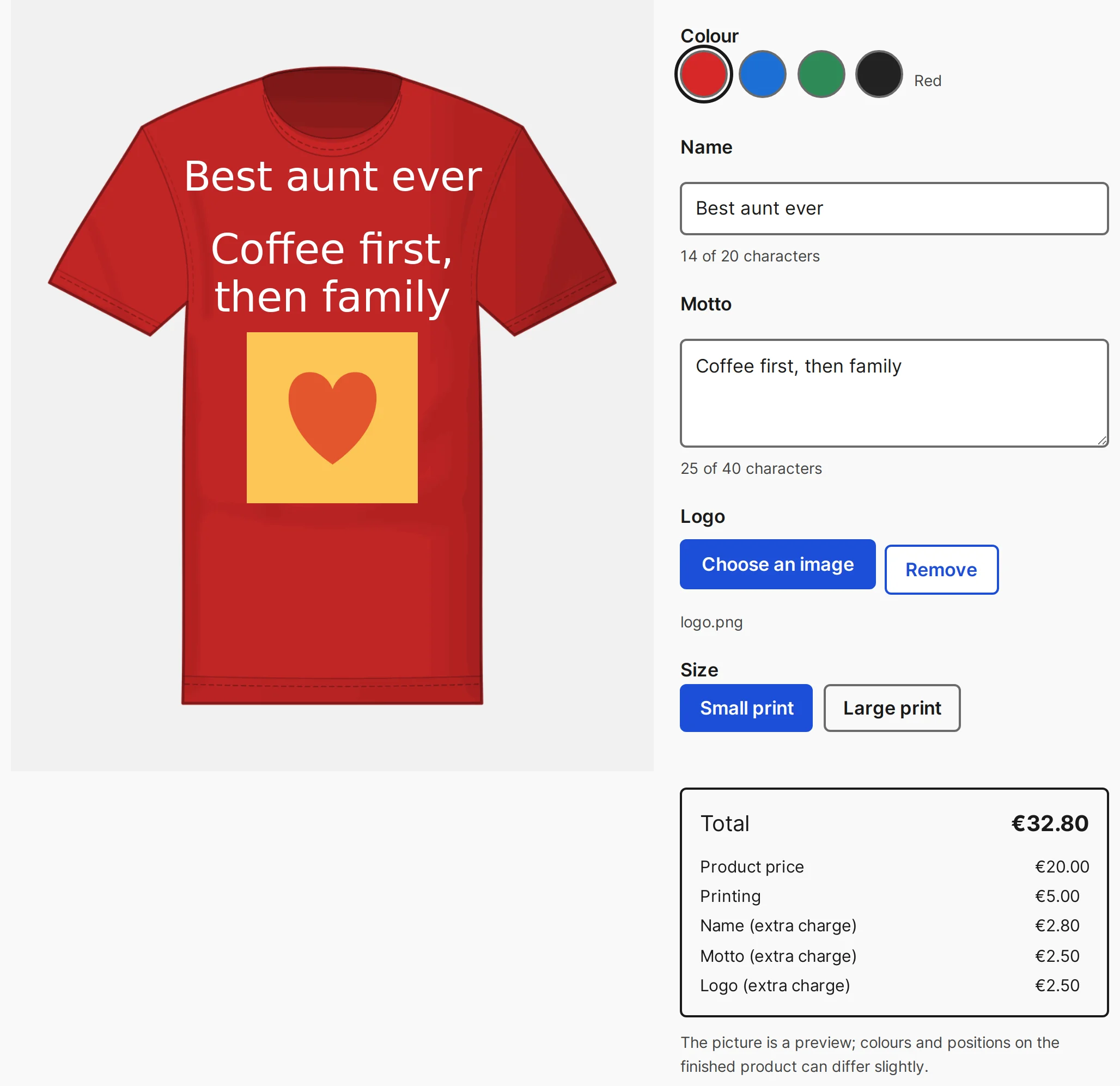
Text and pictures on the product
Build the form the customer fills in. Every field can add a surcharge: per character, per uploaded picture, or per chosen option.
- Text, picture, choice and quantity fields
- Colour list with photos or a mask
- Live price with a breakdown
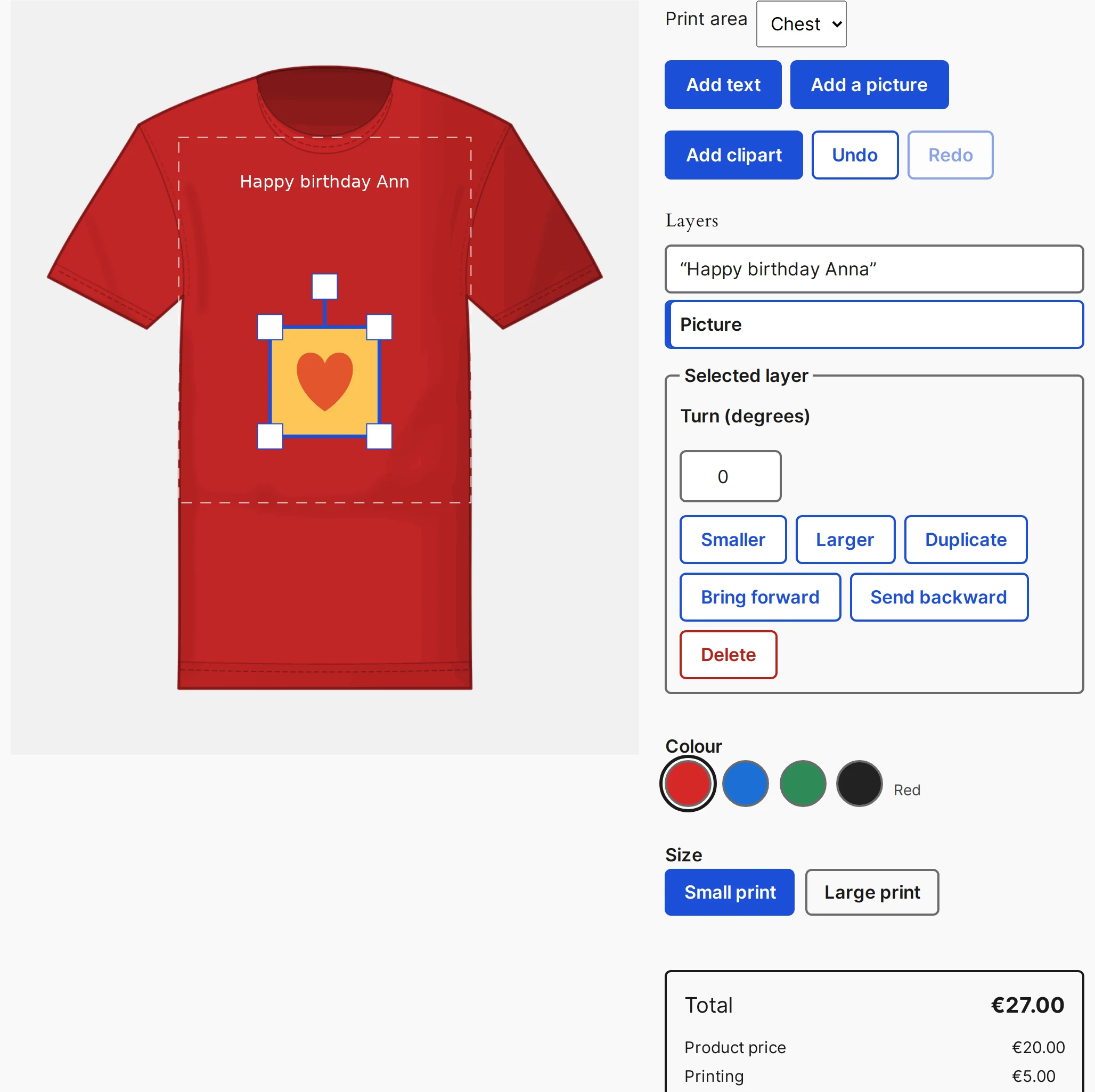
A free canvas for every design
The customer places text, pictures and clipart anywhere on the print area, turns and scales them, curves a text along an arc, and undoes and redoes steps.
- Your own fonts and clipart
- Templates to start from
- Proof approval before checkout
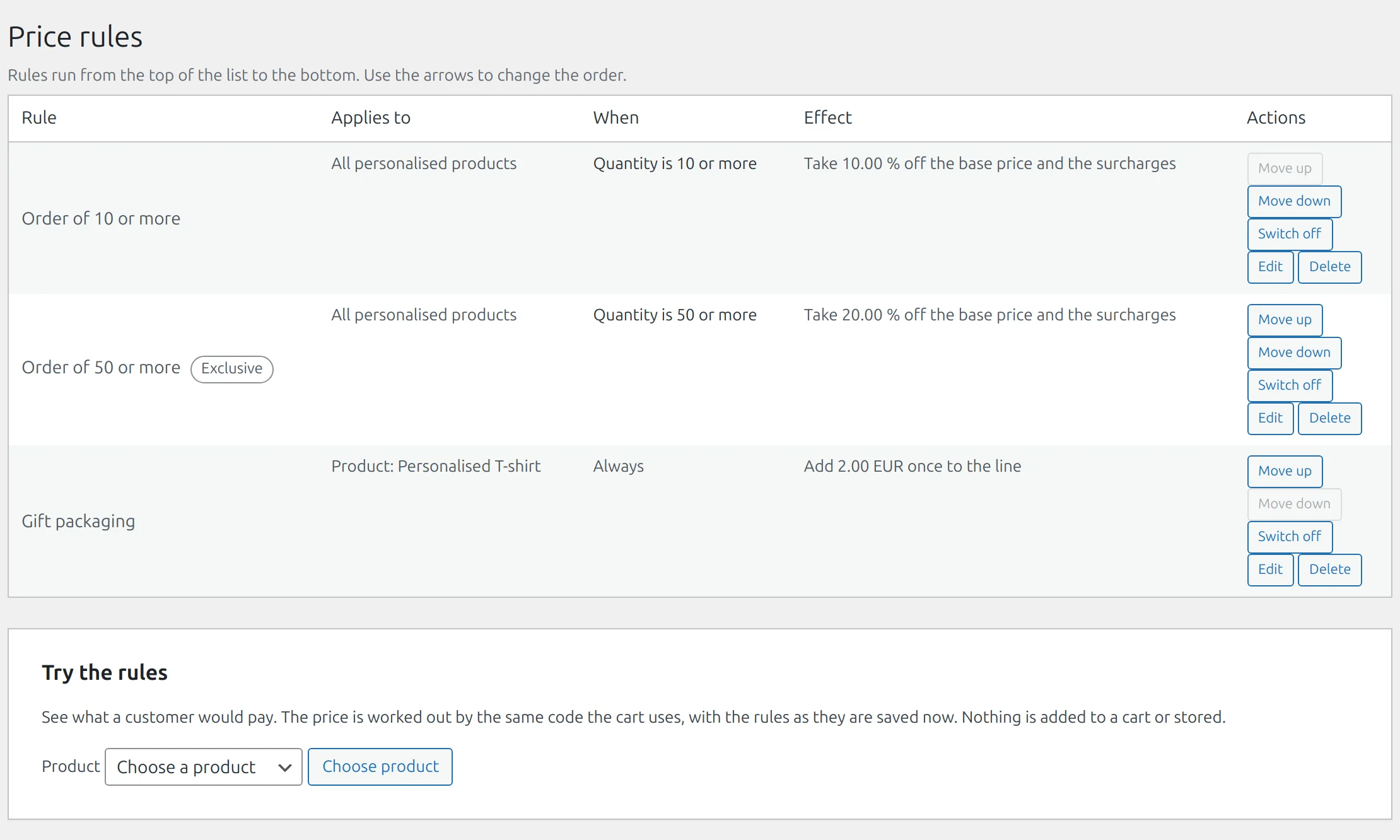
Prices that follow the design
Add or take off money when conditions hold: quantity, used print area, colour, a form answer, dates. Charge per character, per square centimetre of print or per colour.
- Print types and materials
- Quantity discounts and price table
- Coupons on personalised products
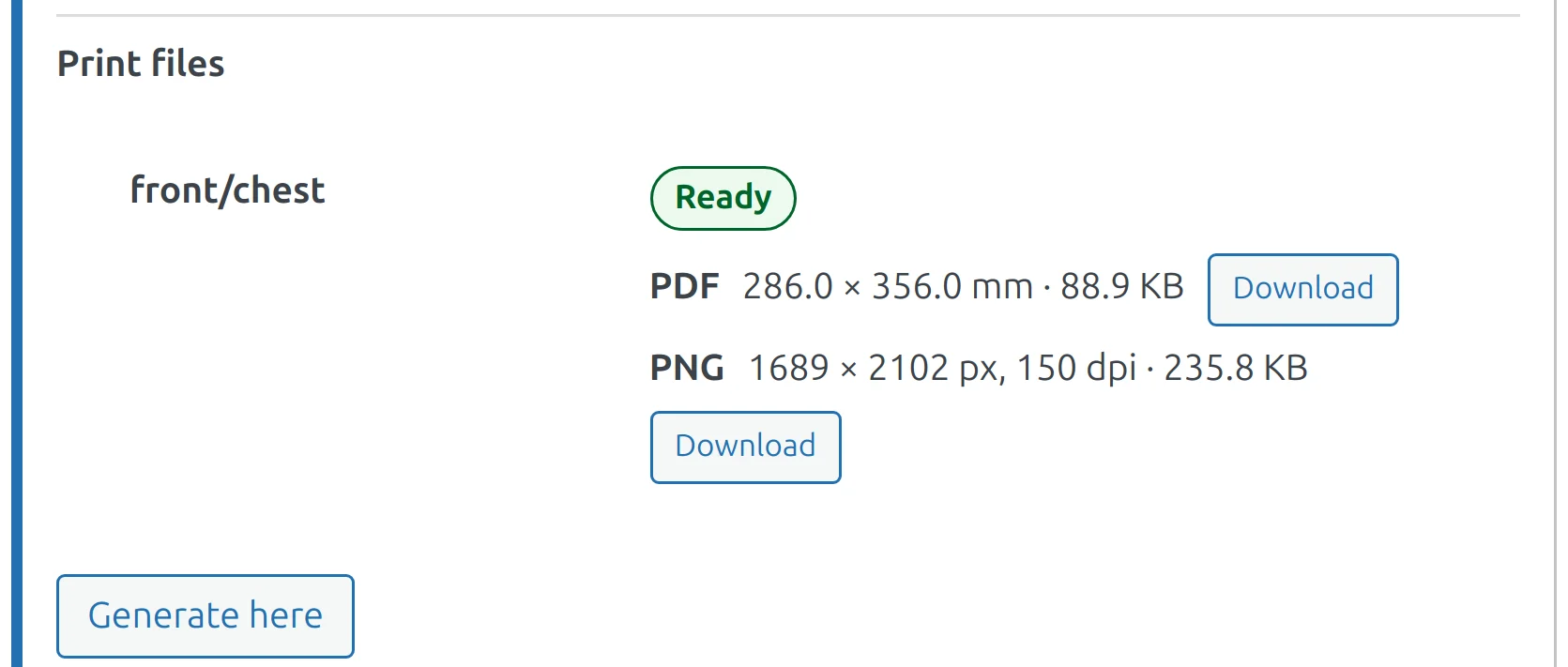
Print files for production
Make a PDF for each print area of an order line with one button, in your own browser. Choose up to 100 orders and receive one ZIP file.
- Bulk print files from the orders list
- Production e-mail when every file is ready
- Low-resolution check before the order
One T-shirt, from the product page to the print file
An example order line from a demo shop, with the numbers the plugin stores for such a line.
The customer chooses
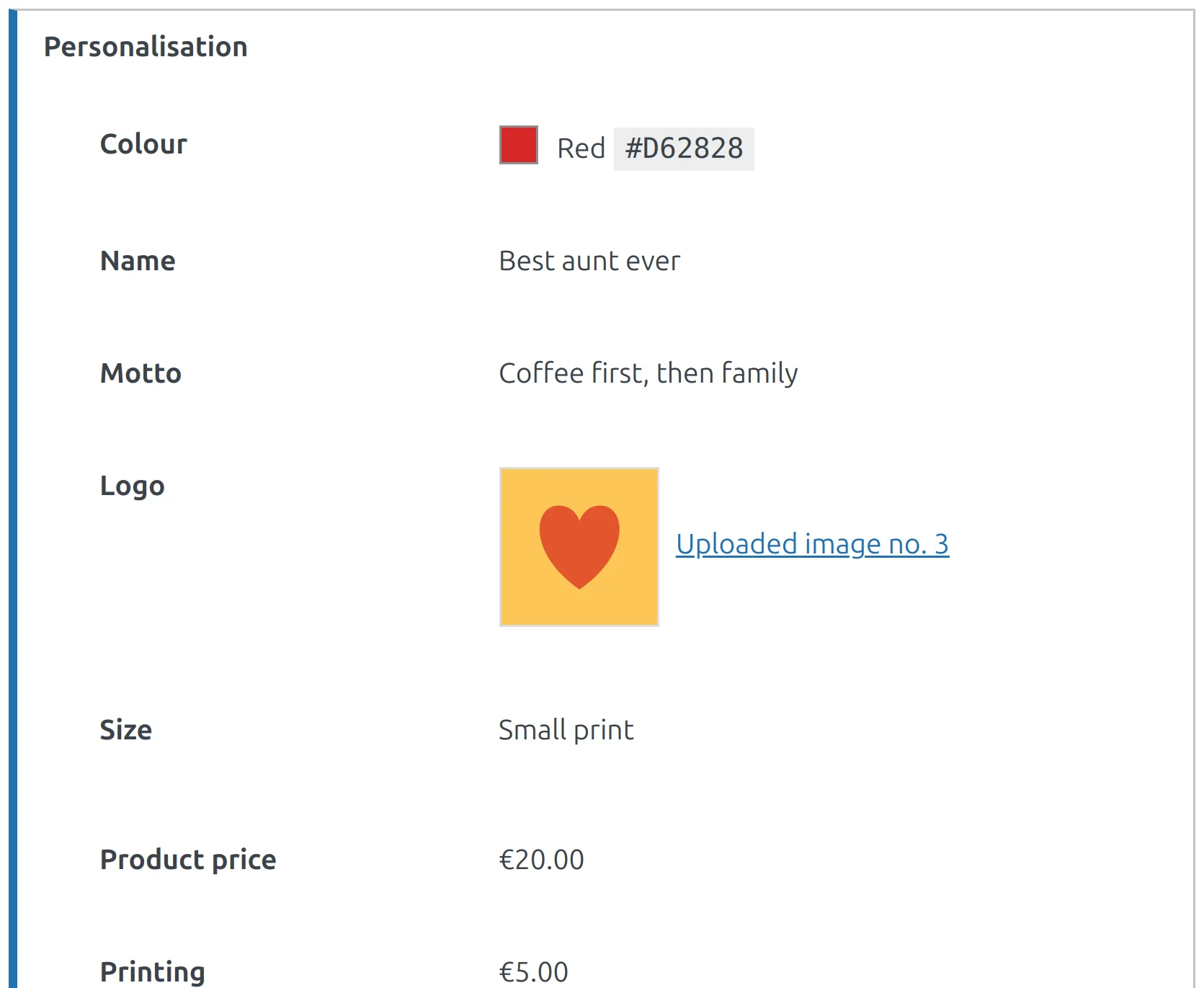
Personalised T-shirt, red, the name Best aunt ever, a motto and a picture on the chest.
shop / product
The server prices it
Product €20.00 + printing €5.00 + name €2.80 + motto €2.50 + picture €2.50 = €32.80 for one piece. The browser never sets the price.
cart › checkout
The order keeps it
Every choice, the price breakdown and the design code stay on the order line and in the e-mails.
Orders › Edit order
The printer gets itPro
Area front/chest: a PDF of 286 × 356 mm and a PNG of 1689 × 2102 px at 150 dpi, marked Ready.
Order › Print files
Free and Pro
One paid plan. You choose the number of sites and how you pay; every Pro feature is in every choice.
Free WordPress.org
The form editor, one view with one print area, the colour list, surcharges, the live price, the design on the order, and import and export.
Download freePro Pro
Adds the free-canvas editor, several views, print types, price rules, quantity discounts and print files for production.
Before you install
Yes. WooCommerce 8.8 or newer must be active.
Not unless you agree. The licensing and update service asks for consent once, on a screen that has a Skip button. If you skip, no request is made and the plugin works fully.
In a private folder inside the uploads directory. Visitors cannot open the files by address. A picture that is part of an order is kept with the order; a picture nobody ordered is deleted after the days you set.
No. The shop recalculates the price from the chosen options every time, and the final price is the one calculated in the cart.
Yes. The editor appears under the variation selectors and the price follows the variation.