 Product Personaliser
Saving
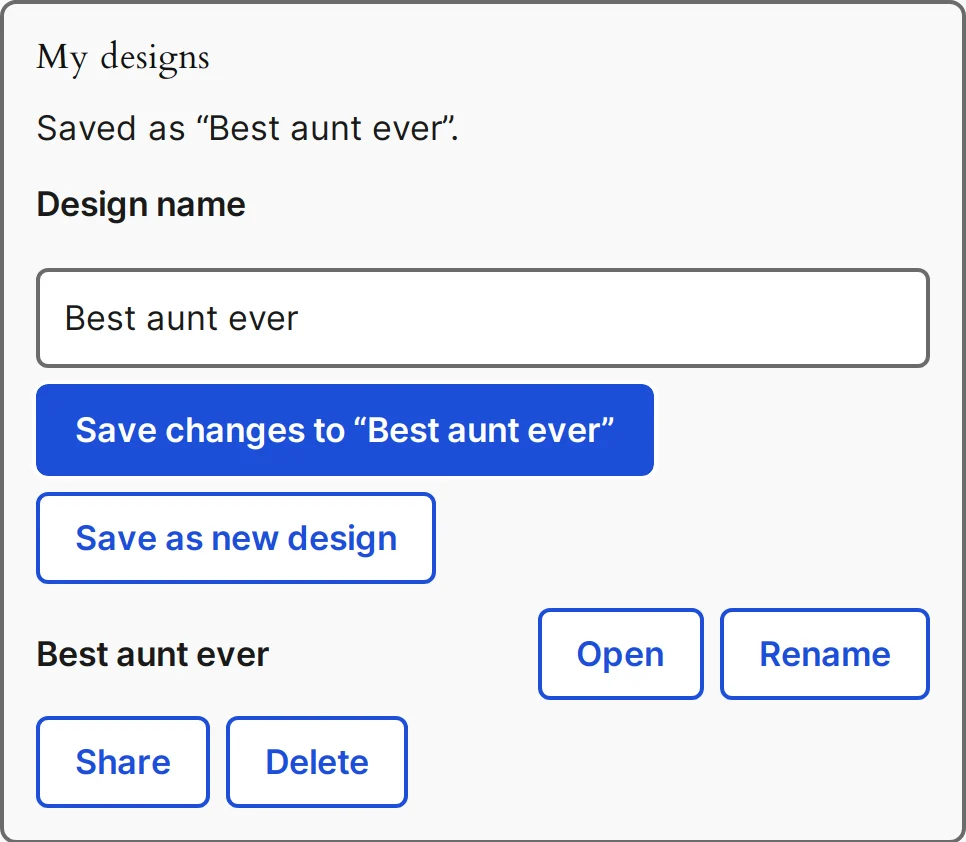
In the canvas editor the My designs panel lets a customer give a Design name, press Save design, and later Open, Rename, Share or delete a design. Save changes to replaces the open design and Save as new design keeps both. A name may have 80 characters and a visitor may keep 100 designs. Every save runs the full design check.
Guests may save too, by default. In Settings > Saving designs you can require an account instead (guests then see Log in and Create account buttons and can still add the design to the cart) and set Keep guests' designs for (1 to 365 days, default 30). When a guest logs in or registers, the designs and their pictures become the account's and are kept until deleted.
Edit design from the cart
Each personalised cart line has Edit design. The product opens with the design back in the editor (layers in the canvas; texts, pictures, choices, colour, print type, material and quantity in the form). Adding to the cart replaces the line and keeps its quantity. A required proof must be made again. For quantities by option, one click replaces the whole order.
Sharing
Share creates a link that works Without an end, 7 days, 30 days or 1 year. Whoever opens it sees a read-only copy and can press Edit a copy, which does not carry the owner's pictures. Stop sharing or an expired link ends it. Shared pages are not indexed.
Example
The buyer notices a typo after adding the product to the cart. "Edit design" opens the product with everything filled in. After fixing it she presses Add to cart and the old line is replaced, with the same quantity.
Related topics
Was this page helpful?
Report an errorApplies to version 0.1.0.