 Product Personaliser
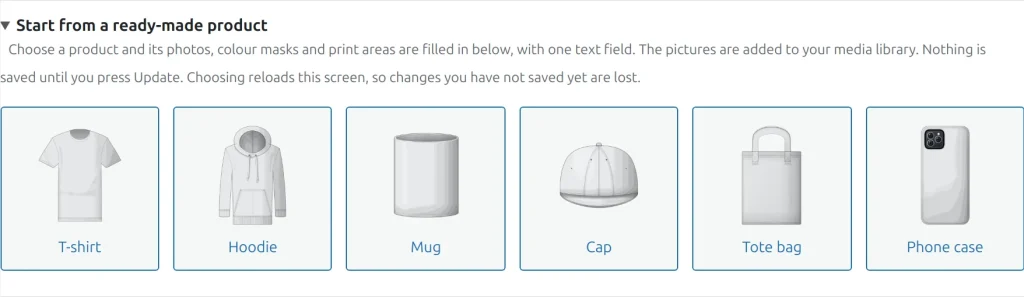
Six products are drawn for the plugin: T-shirt, Hoodie, Mug, Cap, Tote bag and Phone case. Each has a photo and a colour mask for every view and a suggested print area.
Steps
- Create a new product and open the Personaliser tab.
- Open Start from a ready-made product and choose a card.
- The photos are added to your media library, the screen reloads and the tab is filled in: views with names, photos, masks, one print area each, one text field in the first area, and personalisation switched on.
- Change what you need and press Update. Nothing is saved until then.
Choosing the same product again reuses the pictures already in the library. Pictures are added to the library only when you choose a card, never when the plugin is activated.
The free build takes the first view of each product. The paid build takes all views.
Example
A shop owner who sells mugs has no photo yet. She chooses "Mug". The tab shows four views (Front, Handle side, Left side, Right side) with a print area on each and one text field. She changes the print size of the front view, presses Update and the product page already shows the mug.
Related topics
Was this page helpful?
Report an errorApplies to version 0.1.0.