 Product Personaliser
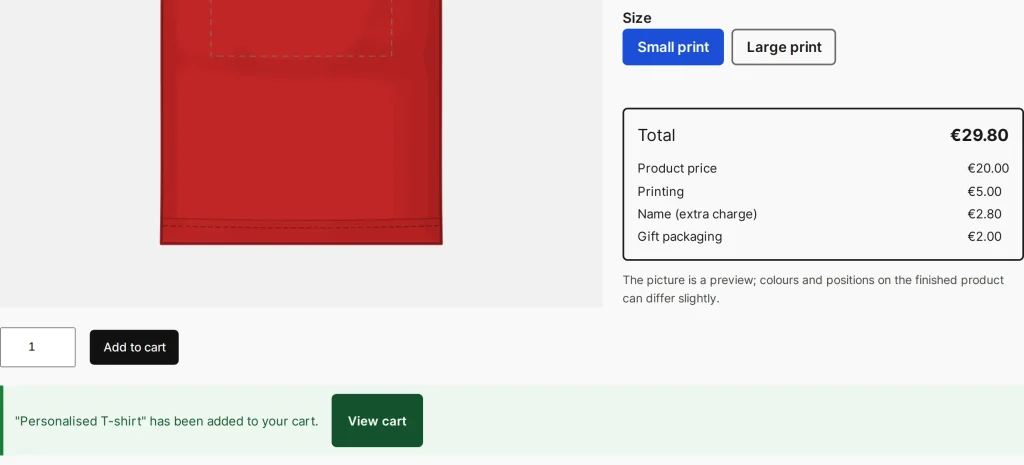
With this option the Add to cart button sends the form in the background. The shop's own add-to-cart handler still does the adding, so the design check, quantities by option and every cart extension work exactly as without it.
Steps
- Open Personaliser > Settings.
- Under Adding to the cart tick Add to the cart without reloading the page.
- Press Save settings. It holds for every personalised product.
What the customer sees
- The button is busy while the request runs.
- On success a message says that the product has been added, with a View cart button. The design stays in the editor and the cart count and mini-cart update.
- On a problem (a picture too small, a smallest quantity, out of stock, an invalid design) a red message with the shop's sentence appears next to the button and nothing is lost.
- If the request fails, the form is sent the ordinary way.
- When a design is edited from the cart, adding replaces the line and the page goes to the cart.
Example
A shop sells mugs with a name. A buyer types "Ania", presses Add to cart and stays on the page; the cart count goes up. She changes the name to "Basia" and adds a second mug in one more click, then opens the cart once.
Related topics
Was this page helpful?
Report an errorApplies to version 0.1.0.